Settings: Microphone
Input device selection, ducking, auto-mute, and dead air protection.
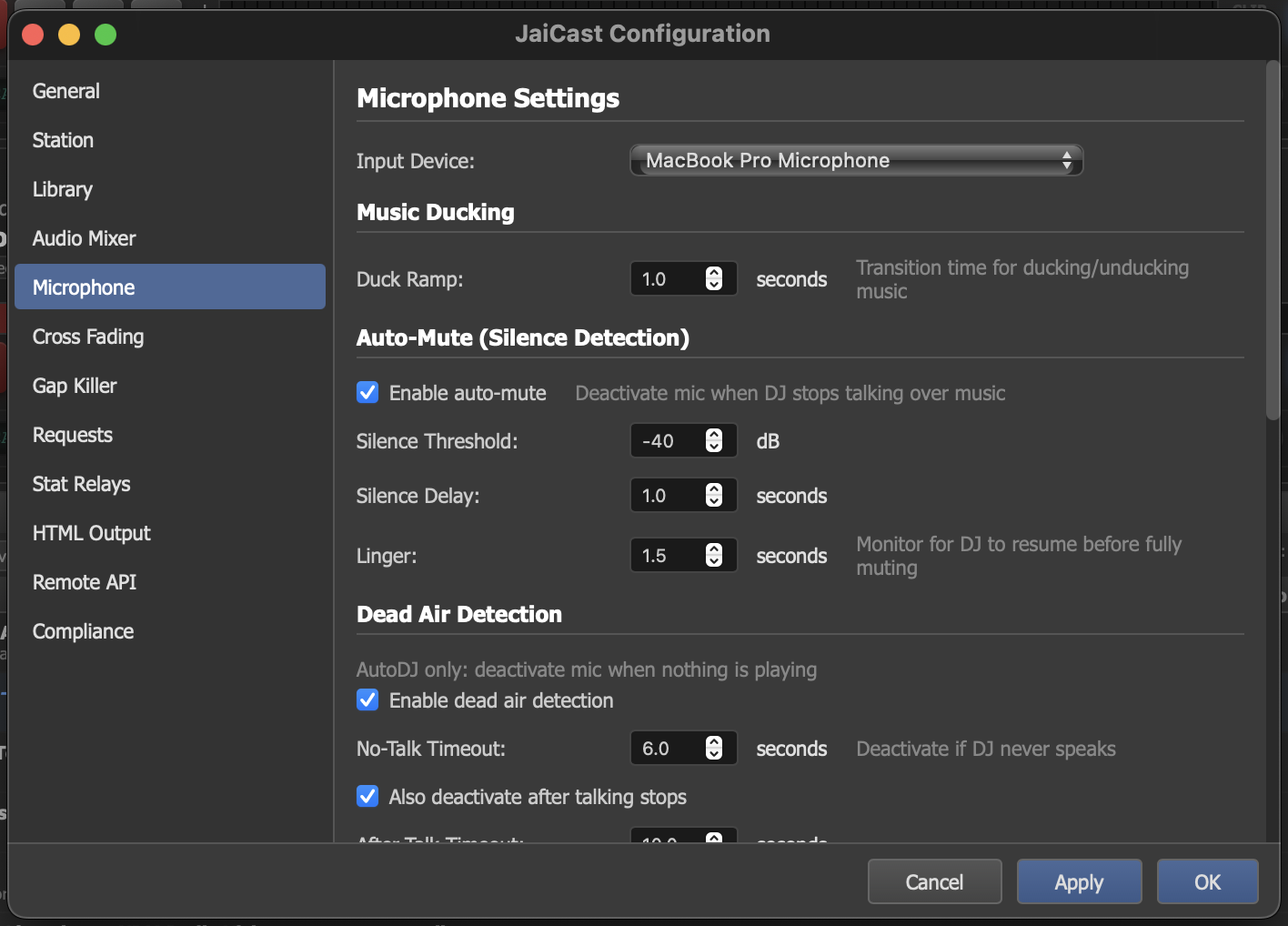
The Microphone settings panel with device selection, ducking, auto-mute, and dead air detection.
Input Device
Select the audio input device to use for the microphone channel. The dropdown lists all available input devices detected by the system, including built-in microphones, USB audio interfaces, and virtual audio devices.
After selecting a device, speak into the microphone and verify that the input level meter responds. If no level is shown, check that the correct device is selected and that the device is not muted at the system level.
Music Ducking
When the microphone is active, JaiCast automatically reduces the volume of the music playing on the decks. This is called "ducking" and ensures the DJ's voice is clearly audible over the music bed.
| Setting | Description |
|---|---|
| Duck Ramp Time | How quickly the music volume ramps down when the microphone is activated, and how quickly it ramps back up when the mic is deactivated. A shorter ramp time makes the transition more abrupt; a longer ramp time produces a smoother fade. Measured in milliseconds. |
Auto-Mute
Auto-mute detects when the DJ has stopped speaking and automatically mutes the microphone input after a configurable silence period. This prevents ambient room noise, breathing, or paper rustling from being broadcast when the DJ is not actively talking.
| Setting | Description |
|---|---|
| Enable Auto-Mute | Turn auto-mute on or off. When disabled, the microphone input remains open for the entire duration it is active. |
| Silence Threshold (dB) | The input level below which audio is considered silence. Any signal quieter than this threshold is treated as "not speaking." Set this above your ambient room noise floor but below your normal speaking voice level. |
| Silence Delay | How long the input must remain below the silence threshold before auto-mute engages. A short delay mutes quickly after the DJ stops talking. A longer delay allows for natural pauses between sentences without triggering the mute. Default: 2 seconds. |
| Linger Time | After auto-mute fires, the mic continues monitoring for speech during this grace period. If the DJ resumes speaking within the linger window, the mute is cancelled. If not, the mic is fully deactivated. This provides a safety net for brief pauses mid-sentence. |
Dead Air Detection
Dead air detection is a safety mechanism for automated stations running in AutoDJ mode. It detects situations where the microphone is active but no useful audio is being produced, and automatically deactivates the mic to let AutoDJ resume normal operation.
There are two scenarios that dead air detection handles:
No-Talk Timeout
The DJ activated the microphone but never actually spoke. The mic is sitting open with no audio going out and no music playing. After the No-Talk Timeout period (default: 6 seconds), the microphone is automatically deactivated so AutoDJ can resume.
After-Talk Deactivation
The DJ spoke and then stopped, but left the microphone active. Music is not playing because the mic channel is holding the broadcast. After the After-Talk Timeout period (default: 10 seconds of silence after the last detected speech), the microphone is automatically deactivated.
| Setting | Description |
|---|---|
| Enable Dead Air Detection | Turn dead air detection on or off. Only applies when AutoDJ is active. |
| No-Talk Timeout | Seconds to wait before deactivating the mic if the DJ never spoke after activating it. |
| Also Deactivate After Talking Stops | Enable the after-talk deactivation behavior. When disabled, the mic stays active indefinitely after the DJ has spoken, even if they stop talking. |